
How Much Data Does FaceTime Use for Calls in 2026?

In this article
FaceTime is Apple’s proprietary calling app. In addition to making audio and video calls, FaceTime also allows you to share your iPhone’s screen with the caller. You can also watch movies and similar content with others via video call, making it a great choice for hosting watch parties.
Like most apps on the internet, FaceTime relies on a stable internet connection to do all this.
For those on an unlimited data plan, this is not an issue.
But for others, especially those who are travelling and are using a travel eSIM, making the best use of what’s available is important.
So, if you’re wondering how much data FaceTime uses, you will find the answer here. You’ll also get additional information on how to check data consumption, how to manage the data used in FaceTime, and more. Continue reading!
How Much Data Does FaceTime Use?
FaceTime uses roughly 1 to 16 MB per minute.
This number depends on a lot of factors.
If you’re making an audio call, then you’re going to be using only 1 MB per minute. This means a 30-minute audio call on FaceTime will consume 30 MB.
But the same cannot be said for video calls. The data consumption for video calls relies on two factors:
- The chosen quality
- The duration of the call
In simple words, the higher the quality and duration, the higher the data consumption. We’ll discuss more about this in the next section.
FaceTime Data Consumption: Audio vs. Video Calls
As said before, you can make audio and video calls via FaceTime. The type of call you make and the duration of the call will have a direct impact on the amount of data consumed.
If it’s a video call, then quality comes into play as well.
Here is a table that compares the data used by FaceTime for audio and video calls over different durations.
| Call Type | Quality | Data Usage per Minute | Data Usage for 15 Minutes | Data Usage for 1 Hour |
| FaceTime Audio Call | Standard | 1 MB | 15 MB | 60 MB |
FaceTime Video Call | Standard | 3 MB | 45 MB | 180 MB |
| 720p | 8 MB | 120 MB | 480 MB | |
| 1080p | 15 MB | 225 MB | 900 MB | |
| Group FaceTime Audio Call | Standard | 2 MB | 30 MB | 120 MB |
| Group FaceTime Video Call | HD | 16 MB | 240 MB | 960 MB |
Note: The values in the table are a rough representation of the actual data consumption. Actual usage might vary.
It’s also important to remember that FaceTime’s default video resolution is 1080p. This’ll change based on the strength of your internet connection.
How to Check FaceTime Data Consumption on iPhone?
Regardless of the purpose, it helps to keep track of how much data FaceTime uses. The process is pretty simple.
- Open the Settings app.
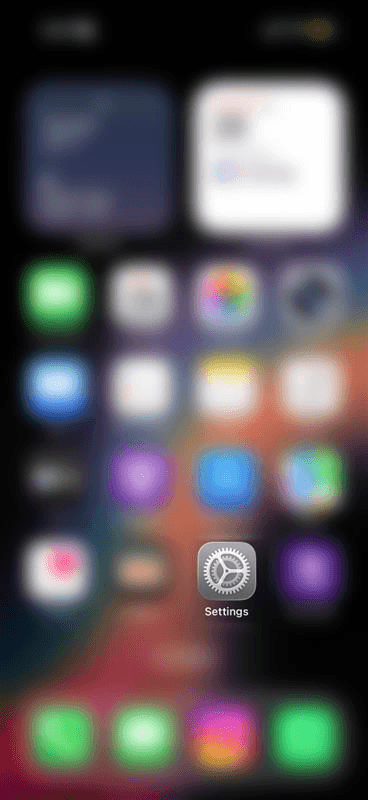
- Select Mobile Service (based on the country of purchase, this might be Cellular or Mobile Data)

- Scroll down the list until you see FaceTime. The data consumed by FaceTime will be mentioned under the label.

How to Manage FaceTime Data Usage
Data consumption by FaceTime isn’t normally a problem. But you’ll have to keep an eye out if you’re using a travel eSIM or on a limited data plan.
So, here are some tips to manage the data used by FaceTime.
- Make Audio Calls: If possible, choose audio calls over video calls. Data consumption is higher for video calls, and switching to audio-only can save considerable amounts of data.
- Lowering Video Quality: Video calls in higher quality use up more data. Using FaceTime in standard quality regulates the amount of data used during your video calls. You’ll have to enable Low Data Mode by visiting Settings/Mobile Service/Current SIM/Data Mode and selecting Low Data Mode for lower-quality FaceTime calls.
- Disable Mobile Data: This option disables mobile data for FaceTime. Once disabled, you can only use FaceTime via Wi-Fi.
Should You Use Cellular Data or Wi-Fi for FaceTime Calls?
The answer to this question depends on your preference and mobile data allowance.
If you’re using a travel eSIM with limited amounts of data, then making a FaceTime call via Wi-Fi is recommended.
However, if you’re on a travel eSIM with unlimited data, then you can use it to make a FaceTime call. We recommend reading the terms and conditions of the plan to check for fair usage limits so that you’re not left stranded without any data for the day.
Enjoy Uninterrupted FaceTime Calls with SIMZY
FaceTime is an excellent app when it comes to making free audio and video calls. With just a stable internet connection, you can connect with anyone across the world.
SIMZY gets you the data you need to FaceTime your loved ones, no matter where they are.
Not just FaceTime, you can also make video calls using WhatsApp or your favorite app without any worry.
Keep reading

Interesting Facts About Spain: Culture, Curiosities, and Essential Travel Insights
Discover interesting facts about Spain, from its vibrant culture and traditions to food, festivals and travel tips. Plan your trip and stay connected with SIMZY.

Best eSIM for France: Compare Data Plans, Coverage and Prices
Compare the best eSIM for France by data plans, prices and coverage. Find the right travel eSIM for Paris and beyond, and stay connected with SIMZY.

SIMZY Coupon Codes: Get the Best Discounts on Travel eSIM Plans
Find the latest SIMZY coupon codes and eSIM deals for international travel. Save on travel data plans and stay connected worldwide with SIMZY.