
What’s the Best eSIM for Bali from India? (2026 Guide)

In this article
Gone are the days when you’d have to buy expensive roaming plans from your home network when you’re visiting Bali.
Or worse, stand in those tiring, long lines outside airport SIM stores to buy a local SIM card.
But now that we have eSIMs, these two issues are easily avoidable.
Now comes another problem. Which is the best eSIM for Bali from India?
This is a valid question, as the travel eSIM scene has exploded in recent times.
Well, to help you out, we have put together this guide that covers the whys and whats of eSIMs. We’re sure you’ll get what you’re looking for. Continue reading.
Why Indian Travelers Need a Travel eSIM in Bali
You’ll need an eSIM in Bali to explore the island without relying on free public Wi-Fi.
When you have a travel eSIM with 4G/5G data, you don’t have to wait till you arrive at the hotel to share that picture you snapped.
You can also get around the island using maps, either via ride-hailing apps like Grab or Gojek, or a car you book online through a rental service.
You can also book tickets for your flight back home.
The convenience aside, a travel eSIM is a cheaper alternative to a roaming plan.
Why Roaming Isn’t Worth it
Because it’s expensive.
The data included in roaming plans is limited. You’ll end up in a position where monitoring data usage takes precedence over enjoying your Bali trip.
Plus, an eSIM gets you comparatively better benefits at a lower price. Picking one of the best eSIMs for Bali is a great choice any day.
What Is an eSIM and How Does It Work in Bali?
An eSIM (short for embedded SIM) is a digital SIM that is built into your device. You don’t have to swap SIM cards or walk around with the pesky SIM ejector tool. Everything’s digital, and you’ll have an active plan before you know it.
In terms of functionality, it works similarly to a physical SIM card. Once you have downloaded and activated the eSIM profile, your smartphone connects to a local network the eSIM provider has a partnership with. You can start using mobile services after successful authentication.
The Best eSIM for Bali from India by SIMZY: Data Packs, Validity, and Prices
SIMZY has three travel eSIMs for Bali that will meet all your internet needs. The setup is quick and convenient and can be done from India.
Here are SIMZY’s eSIMs for Bali.
Data | 5 GB | Unlimited* | Unlimited* |
Validity | 7 Days | 14 Days | 30 Days |
Price | ₹482 | ₹2,408 | ₹3,852 |
*Unlimited data plans are subject to SIMZY’s fair usage policy. Please read the terms and conditions for more information.
eSIM vs. Physical SIM vs. International Roaming: Which Is Best for Bali?
A search for mobile plans on Google will throw up a lot of results. It can be quite confusing to make a decision.
So, to help you out, we have drafted this table that compares eSIMs, physical SIM cards, and roaming plans.
Features | Travel eSIM | Local SIM Card | Roaming Plan |
Cost | Affordable | More expensive than eSIMs | Most expensive option |
Setup | Scan QR code or enter activation details | Needs to be manually inserted. | Can be enabled from home country |
Flexibility | Maximum | Moderate | Moderate |
Store Visit | Not required | Mandatory | Depends on operator |
Keep Your Indian Number | Possible in dual SIM phones | Possible in dual SIM phones | Uses your Indian number |
Registration using ID | Not required | Mandatory due to Indonesian law | Not required |
Hotspot | Included | Might be included | Not included |
Hidden Charges | None | None | Based on terms and conditions |
Compatibility | Needs an eSIM-compatible smartphone | Compatible with most devices | A separate device is not required |
Which Bali eSIM Plan Should You Choose? (By Trip Length and Usage)
Before you pick an eSIM plan for your Bali trip, there are a couple of factors you should consider. They are:
The duration of your trip
Your data requirements
Both factors above are dependent on each other. You cannot settle on a limited data plan if you stream a lot of content and make multiple video calls, even if the stay is as short as 5 days.
Ideally, you should run a quick analysis of how much data you’ll need and pick a plan with at least 1 GB more than that.
Here are the different types of trips along with the recommended SIMZY travel eSIMs for Bali from India.
Trip Type | Data Usage | SIMZY Plan |
Weekend Getaway (3-4 days) | Maps, WhatsApp, Light Social Media | 5GB plan for 7 days |
Vacation (<15 days) | Maps, WhatsApp, Social Media, Hotspot, Ride-Hailing | Unlimited data plan for 14 days |
Long Stays & Digital Nomads (30 days and more) | Video Calls, Data Sharing, Content Streaming | Unlimited data plan for 30 days |
Is Your Smartphone Compatible with a Bali Travel eSIM?
To check whether your smartphone supports eSIMs, dial *#06# and look for an EID (Embedded Identity Document). An EID number is unique to eSIMs and appears along with your smartphone’s IMEI when you dial the code.
Most modern smartphones, especially iPhones, support eSIMs. If you have one of the newer iPhones, then odds are that it has one eSIM and one physical SIM card slot. If your iPhone was purchased in the USA, then it has eSIMs.
As for Android devices, many flagships include eSIMs. Popular devices, like the Samsung S25 and S26, Google Pixel series, Xiaomi 15 Series, Oppo Find X7 and Find X7 Ultra, OnePlus 11, 12, 13, and Vivo X100 Pro, support eSIMs.
How to Buy and Activate a SIMZY eSIM for Bali: Step by Step
The process to buy a SIMZY travel eSIM, one of the best eSIMs for Bali, is super-easy. Follow these steps to buy a Bali eSIM.
Step 1: Visit SIMZY’s travel eSIM page for Bali.
Step 2: Pick a plan based on your data requirements and trip duration. Click on the Buy now button.
Step 3: Choose an activation time. Choose Start Now if you’re already in Bali. Go with On Arrival if you want the plan to start after you land. You can also schedule a date for activation.
Step 4: Select whether you want Auto renew enabled. You can also choose whether you want the activation instructions sent to your WhatsApp number.
Step 5: Enter your personal and card details. Complete the purchase by clicking on the Purchase button and validating the payment.
Now that you have purchased the SIMZY eSIM for Bali, the only thing left is to activate it. Here are the steps to follow.
Step 1: Connect your smartphone to the internet.
Step 2: Scan the activation QR code in the order confirmation email.
Step 3: Follow the prompts that appear to install your SIMZY travel eSIM.
After successful installation, enable Data Roaming for your SIMZY travel eSIM. That’s it! You can start using the data allocated based on the option you’ve chosen.
If you don’t have a secondary device, try long-pressing the QR code. The option to visit the URL in the link will appear. You can also take a screenshot of the QR code and upload it to a code scanner app.
You can also scan the QR code through the Settings app. Here’s how to do it.
iOS: Navigate to Settings/Mobile Service/Add eSIM/Use QR Code/Scan QR Code. Use the QR code in the order confirmation email and follow the prompts on the screen.
Android: Head to Settings/Connections/SIM Manager/Add eSIM/Scan QR Code. Focus the camera on the QR code and follow the on-screen instructions to complete the activation process. The path may vary depending on the phone manufacturer.
Once activated, don’t forget to set SIMZY travel eSIM as the default line for data.
Can You Keep Your Indian Number for WhatsApp, OTPs, and Calls?
Yes, you can keep your Indian number for WhatsApp. But you will be charged for calls and messages, both incoming and outgoing.
Make sure data roaming is disabled for your home network.
You can use the data from the SIMZY Bali eSIM to power your WhatsApp.
Common eSIM Problems and How to Fix Them
As convenient as they are, there are chances that you might run into issues when using an eSIM.
Here is a list of common eSIM issues along with some quick troubleshooting tips.
Problem | Solution |
eSIM doesn’t install |
|
Cannot use data |
|
Network bars don’t appear |
|
Final Thoughts
A SIMZY travel eSIM is going to make your Bali trip much easier. You get the data for all your internet needs, whether it’s basic browsing or watching your favorite shows in HD.
Don’t forget to check whether your smartphone is compatible with eSIMs. Also, consider enabling Auto-renew if you feel your stay might be extended.
SIMZY is the best eSIM for Bali from India. Get your travel eSIM today!
Indonesia travel eSIM data plans
- Data Only
- Top-up available
- Data Only
- Top-up available
- Data Only
- Top-up available
Keep reading
The Best Travel eSIM for Iraq in 2026: Which SIMZY Plan Fits Your Trip?
Looking for the best eSIM for Iraq? Compare travel data options, check device compatibility and prepare for your trip with SIMZY. Explore plans before you travel.
The Best eSIM in the USA for Tourists: Digital Activation & Unlimited Data
Find the best eSIM in the United States for tourists. Compare affordable US eSIM plans, get instant connectivity and stay connected throughout your trip with SIMZY.
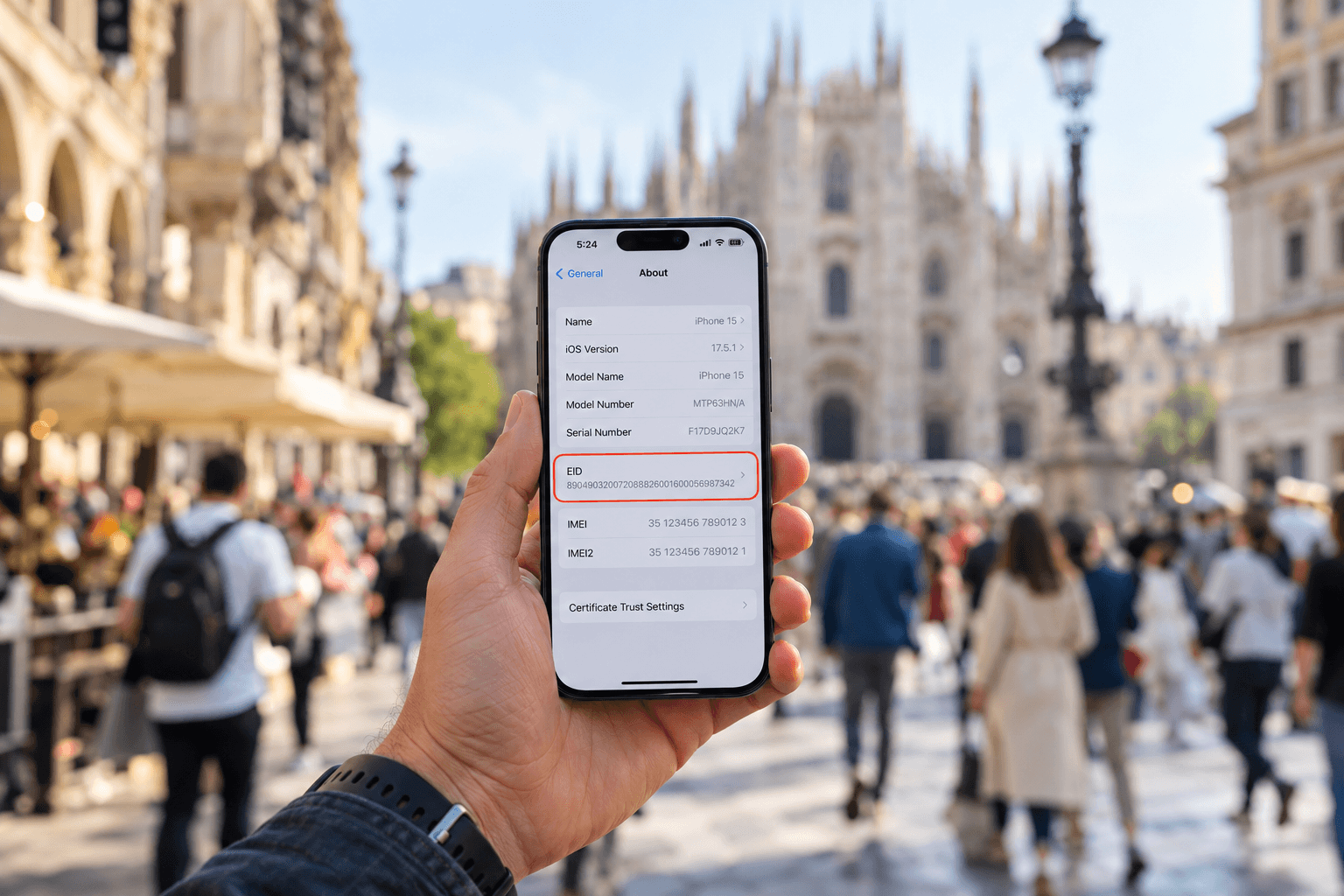
What is an EID number and how do you find it?
Your EID is the 32-digit ID of your Phone's eSIM chip. See what it means, how it differs from IMEI and ICCID, and how to find it on iPhone and Android.