
How Does an International eSIM Work? | SIMZY

In this article
Going to a foreign country earlier meant cumbersomely positioning yourself to collect pieces of paper, staying in lines at airports, and handling small plastic SIM cards with the hope of not forgetting the number of your home phone. Thankfully, the travel experience has changed due to international eSIM technology, which makes it possible to get an embedded SIM and download and set up the cellular data profile without the need to go through the process physically. Whether your trip is to Europe or another overseas destination, knowing the importance of eSIM technology will help you save a lot of valuable time.
What Is an International eSIM and How Does It Function?
An eSIM is a tiny, programmable chip soldered directly onto your smartphone's motherboard during manufacturing. Unlike a traditional physical SIM card that stores carrier data on a removable piece of plastic, an eSIM is completely software-driven.
When you purchase an international travel plan, your provider generates an encrypted profile containing network credentials. Scanning an eSIM QR code tells your phone to download this profile directly onto the embedded chip. Once downloaded, your device communicates with local cell towers in your destination country, allowing you to access high-speed mobile data without swapping physical cards.
How an eSIM Operates Behind the Scenes
- Digital Ordering and Custom Schedule: You choose a coverage plan tailored to your destination, such as Europe, Asia & Oceania, or North America, and select your preferred activation date during checkout.
- Profile Generation: An encrypted activation profile complete with a unique QR code is instantly sent to your email and stored in your account portal.
- Over-the-Air (OTA) Download: Connecting your phone to Wi-Fi and scanning the QR code prompts your device to download the profile profile via an encrypted connection.
- Local Network Handshake: Upon arrival in your destination country, your eSIM identifies approved local mobile networks, connects to local towers, and activates data access based on your chosen plan duration.
Step-by-Step: How to Get Connected with SIMZY
Getting online before or during your trip requires zero physical store visits. The entire process takes just a few minutes:
1.Select Your Destination & Plan:
Choose your region before checkout.
Browse available regional plans across Europe, Asia & Oceania, or North America. Select the data allowance and duration that match your itinerary, and set your plan start date to line up with your arrival.
2.Receive Your Instant QR Code:
Instant email & web portal delivery.
Complete checkout using your email address. You will instantly receive a confirmation email containing your unique eSIM QR code and setup instructions. You can also view this code anytime in your web portal under My Account.
3.Scan & Install Over Wi-Fi:
Requires an active internet connection.
Connect your phone to Wi-Fi. On iPhone, open your Camera app and scan the QR code (or navigate to Settings > Mobile Data > Add eSIM). On Android, head to Settings > Network & Internet > Add Mobile Network, and follow the prompts to complete the download.
4.Turn On Data Upon Landing:
Instant connection at your destination.
When your flight arrives, set your SIMZY profile as your primary Mobile Data line in your phone settings and ensure Data Roaming is toggled ON for the eSIM profile. Your device will automatically latch onto local networks.
Key Technical Concepts to Know
Dual SIM Dual Standby (DSDS): Most modern smartphones let you run your primary physical SIM and travel eSIM at the exact same time. This means you can keep your home phone line active to receive critical bank two-factor authentication (2FA) codes while routing all internet traffic through your affordable travel eSIM.
Unlimited Data & Fair Usage Policies: Plans labeled with unlimited data offer continuous internet access without a fixed hard cap. However, they may feature daily high-speed data allowances (such as 3 GB or 10 GB per day depending on the plan term), after which speeds adjust to maintain stable connectivity for all users on congested local networks.
5G Network Capabilities: eSIMs automatically support 5G speeds in areas where local partner infrastructure and your smartphone hardware allow it.
Multi-eSIM Account Management: You can buy, label (e.g., "SIMZY iPhone" or "SIMZY iPad"), and manage multiple eSIM profiles from a single online account, making group or family travel setup painless.
Travel eSIM vs. Traditional Physical SIM
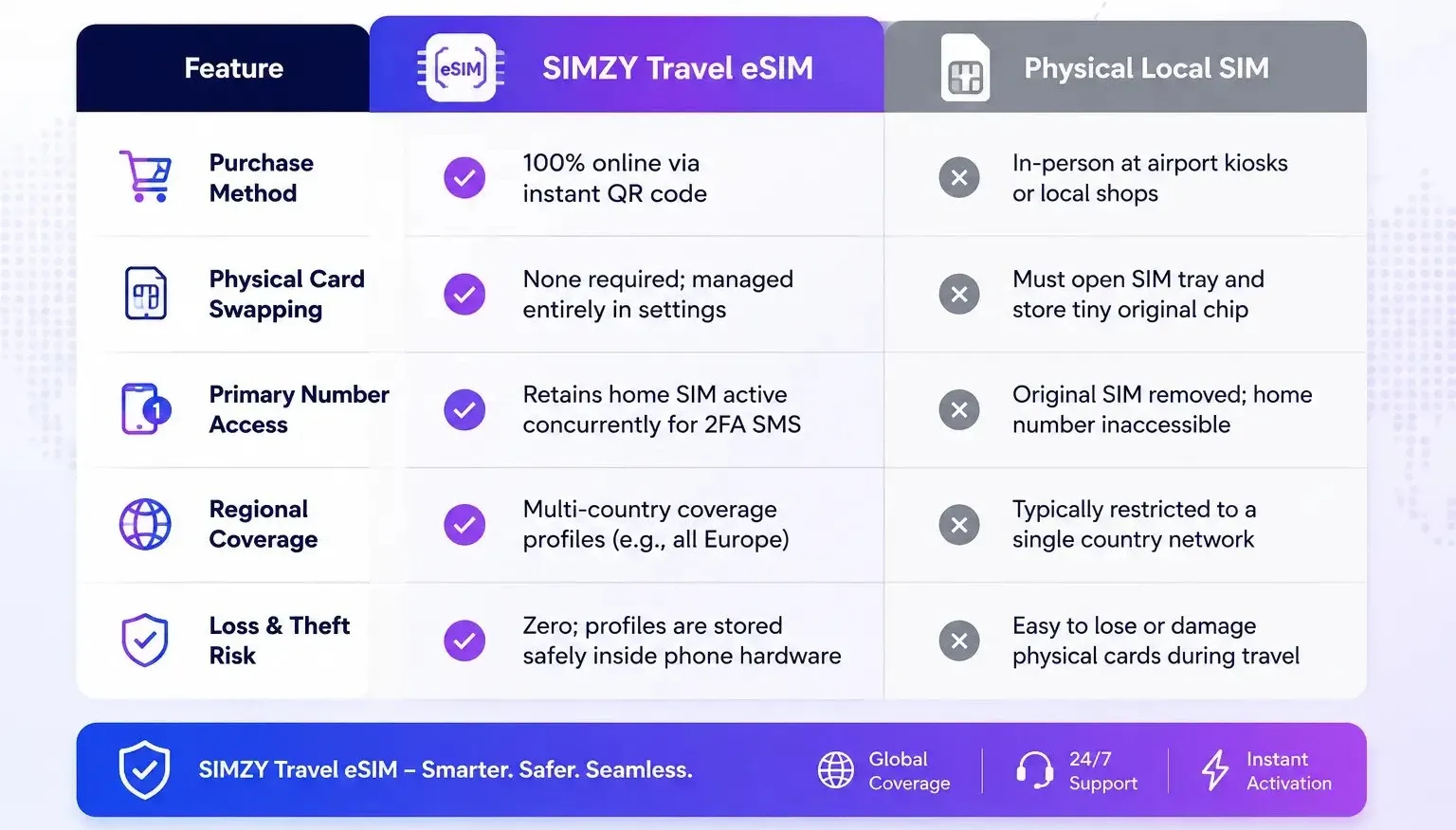
Quick Cheat Sheet Summary
- Before You Fly: Verify your device is unlocked, purchase your plan, and install your eSIM over Wi-Fi.
- When You Land: Toggle your mobile data line to your travel eSIM, turn Data Roaming ON for that profile, and start browsing instantly.
- While Traveling: Monitor usage in your account dashboard and add top-up plans seamlessly to your existing profile if your trip gets extended.
Keep reading
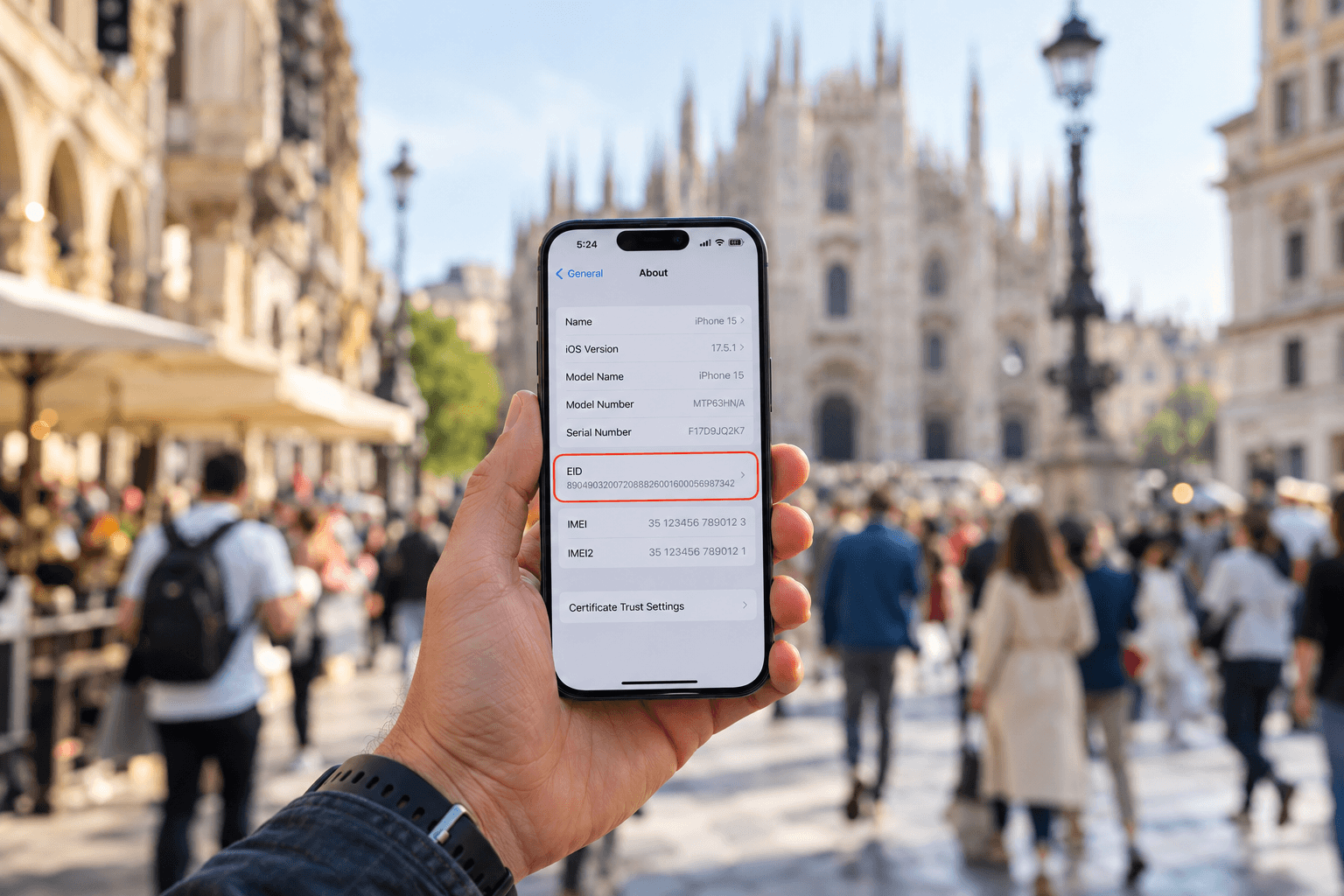
What is an EID number and how do you find it?
Learn what an EID number is, where to find it on iPhone and Android, and how it helps activate an eSIM. Get connected with a SIMZY eSIM today.
What is an eSIM and How Does It Work?
What is an eSIM and how does it work? Learn how eSIMs work, their benefits, compatibility, setup, and how to choose the right eSIM for travel and mobile data.

When Is the Best Time to Visit Thailand? Weather & Festivals
Find the best time to visit Thailand based on weather, crowds, prices, festivals, diving, and island-hopping. Plus, discover how a Thailand travel eSIM keeps you connected throughout your trip.