
SIMZY eSIM Help Center: Frequently Asked Questions & Troubleshooting

In this article
You switch phones the week before a trip, forget that your eSIM doesn't just carry over automatically, and realize the night before your flight that your travel line is nowhere to be found on the new device.
Or maybe you're mid-trip, staring at a "no service" message, unsure whether it's your plan, your settings, or something else entirely.
Nobody wants to be troubleshooting a data plan from a hostel bunk bed or an airport gate, but when something does go sideways, what actually helps is a straight answer, not a maze of menus.
This isn't a story about roaming bill shock or airport SIM kiosks. They're exactly why you switched to something digital in the first place. This is the practical reference for everything that comes after activation: what to do if something breaks, how billing and data actually work, and where to look before you assume the worst. Bookmark it.
Managing Your eSIM
What if I delete my eSIM or switch phones?
If your SIMZY eSIM gets accidentally removed, you can usually reinstall it on the same device by rescanning the QR code from your original confirmation email, that same code is also accessible anytime through the SIMZY web portal. Switching to a new device is a little different: depending on your phone and profile availability, you may need to transfer or reinstall the eSIM rather than have it carry over automatically. If you hit a wall, SIMZY's support team can walk you through re-adding it, usually a matter of opening your eSIM settings, scanning a fresh QR code, and following the on-screen prompts. It's worth keeping your ICCID and QR code saved somewhere secure, just in case.
Can I use SIMZY alongside my regular SIM?
Yes, if your device supports Dual SIM Dual Standby, your primary SIM keeps handling calls and texts while your SIMZY eSIM runs your data. That's exactly the setup that keeps your home number active for 2FA codes, banking alerts, and personal calls, while your travel data runs independently.
Can I manage more than one eSIM on one account?
Yes. Every plan you purchase is listed separately under My Account with its own usage details, so a Nomad Plan for one region and a regional bundle for another don't get tangled together.
Orders, Top-Ups, and Timing
How do I actually order a plan?
Pick your destination region, Europe, Asia & Oceania, or North America, browse available plans, and choose the one that fits your trip. During checkout, you'll set your preferred activation date, verify with a one-time code sent to your email, and complete payment. A confirmation email with your QR code follows immediately.
How long does activation actually take?
It's instant. Once your order goes through, your confirmation email arrives with the QR code, and scanning it activates your eSIM right away. Your plan itself starts on whichever date you selected at checkout, so you can buy today and schedule it to switch on the moment you land, not before. Just make sure your device has Wi-Fi or internet access at the moment of installation.
Can I add a plan to an eSIM I already have?
Yes, a new plan can be added to an existing SIMZY eSIM directly at checkout, and you can give each one a custom label (SIMZY iPhone, SIMZY iPad) to keep multiple lines easy to tell apart.
Installing on iOS and Android
Installation follows the same basic shape on either platform, with small differences in where the settings live.
On iOS: open the Camera app, point it at your QR code, and follow the prompts. If scanning doesn't work directly, go to Settings → Mobile Data → Add eSIM, which opens a built-in scanner.
On Android: open your Camera app and point it at the code, or if that doesn't cooperate, go to Settings → Network & Internet (or Connections) → Add Mobile Network → Download a SIM / Add eSIM. Some Android devices also support entering an activation code manually through Settings → SIM Manager → Add eSIM → Enter Activation Code, if scanning isn't an option.
Understanding Your Plan
What does "unlimited data" actually mean?
It means no fixed total allowance, subject to a fair usage policy and, on some plans, a daily high-speed cap, for example, shorter plans may include a set amount of high-speed data per day, after which speed may be reduced for the rest of that day.
Why might my speed vary even within my limit?
Network congestion, signal strength, local infrastructure, and your specific location all play a role, factors outside any single provider's control, digital or otherwise.
What happens to unused data when a plan ends?
It's tied to the validity window you selected. Once that period closes, unused data doesn't carry forward, so timing your activation date to match your actual travel dates matters more than it might seem.
Before You Need to Troubleshoot Anything
- Save your QR code and ICCID somewhere secure, your email confirmation and the web portal both work as backups.
- Confirm your activation date matches your actual arrival, not your purchase date, so you're not burning validity early.
- Download your city map in Google Maps for offline use, so a temporary connection hiccup doesn't leave you lost.
- Have an Uber ready to request the moment you land, so a brief installation delay doesn't turn into a longer one at arrivals.
Most connectivity problems have a two-minute fix once you know where to look. Keep this page bookmarked, and the only thing left to figure out on your trip is where to go next.
Keep reading

Best eSIM for Japan in 2026: Stay Online from Narita to Kyoto
Find the best eSIM for Japan in 2026. Compare data plans, coverage, prices and setup tips to stay connected from Narita to Kyoto with SIMZY.
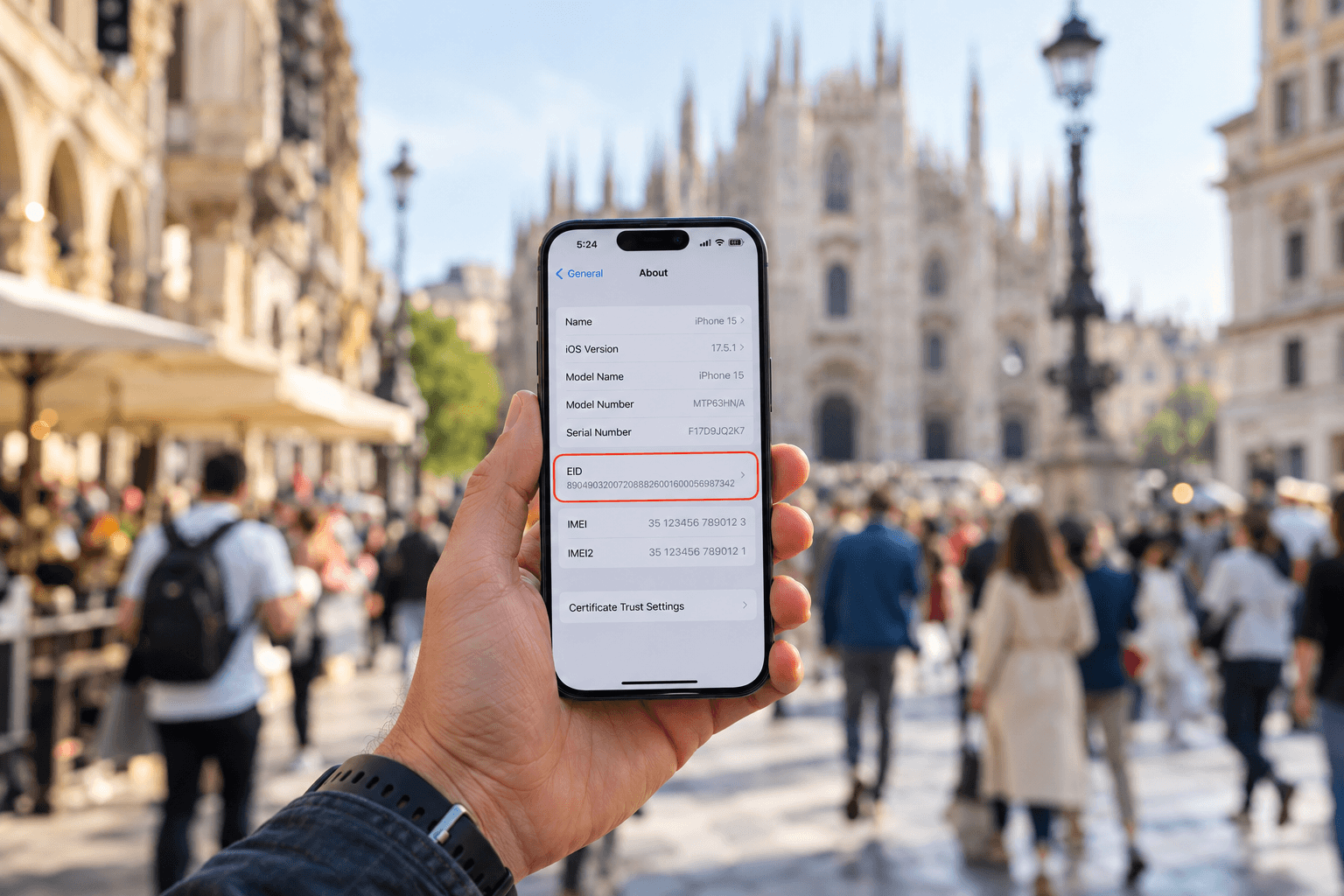
What is an EID number and how do you find it?
Learn what an EID number is, where to find it on iPhone and Android, and how it helps activate an eSIM. Get connected with a SIMZY eSIM today.

Will You Be Impacted by the Turkey eSIM Block? What Travelers Should Know
Is there an eSIM ban in Turkey? Learn about Turkey's eSIM restrictions, what they mean for travelers, and how to stay connected during your trip.